
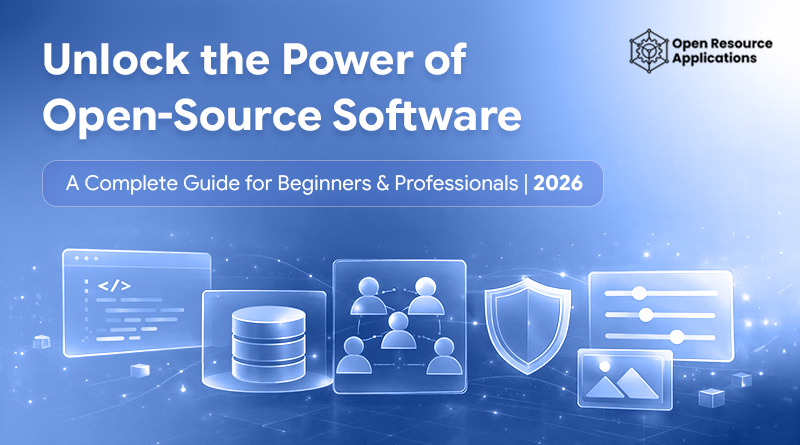
Open-source software is software whose source code is openly available for anyone to view, use, modify, and share. In simple terms, it’s software that doesn’t hide how it works. Instead of being locked behind a company’s walls, it’s built in the open and improved by a global community of developers, designers, and users.
In 2026, more people than ever are actively searching for free and open alternatives to traditional software, and the reason is practical, not ideological. Monthly subscriptions keep piling up, essential tools are increasingly locked behind expensive plans, and switching platforms often means losing control over your own data or workflow. Whether it’s design software, productivity tools, or development platforms, vendor lock-in has become a real frustration for individuals and businesses alike.
Open-source software offers a different path. It gives users flexibility instead of restrictions, transparency instead of black-box systems, and long-term control instead of ongoing dependency on a single vendor. That’s why students, creators, professionals, and even large organizations are rethinking the tools they rely on.
In this guide, you’ll learn what open-source software really is, how it works, and why it has become a serious alternative to paid, proprietary software. We’ll break down the benefits, clear up common misconceptions, and show how open-source tools fit into modern workflows, whether you’re just getting started or already working at a professional level.
What Is Open-Source Software?
Open-source software is software that is built openly and shared transparently. Its core code, the part that defines how the software behaves, is accessible to the public. That openness allows people to study it, adapt it, improve it, or build on top of it without asking permission from a single controlling company.
To make this less abstract, let’s talk about source code in real terms. Source code is essentially the blueprint of a software product. It’s written by humans, not machines, and it explains step by step how a program should function. In closed software, this blueprint is hidden. You can use the tool, but you can’t see how it works or change anything beneath the surface. With open-source software, that blueprint is visible. If something breaks, skilled users can fix it. If a feature is missing, it can be added. Nothing is deliberately locked away.
People often confuse open-source software with free software, but they are not the same thing. Free software usually refers to the cost you don’t have to pay to use it. Open-source software is about access and freedom. A program can be free to download and still be closed, meaning users have no insight into how it operates. Open-source software, by contrast, prioritizes transparency and user control, regardless of price.
This difference is important because open-source software isn’t just about saving money. It’s about giving users visibility, flexibility, and long-term independence. Instead of relying entirely on a vendor’s decisions, users and communities actively shape how the software evolves.
How Open-Source Software Works
Open-source software works by making its source code publicly available, allowing anyone to review how the software is built and how it behaves. Instead of relying on hidden systems, users and developers can see exactly what the software does and how it handles data.
Most open-source projects are developed and maintained by communities. These communities include developers who write and review code, contributors who suggest improvements, and users who report bugs or issues. Changes are proposed, reviewed, and approved before they are added, which helps maintain quality while allowing the software to improve continuously.
Updates, bug fixes, and security patches often happen faster in open-source projects because many people are involved in reviewing the code. This collaborative approach reduces the risk of unnoticed problems and improves reliability over time.
Transparency is central to this process. Because the code is open, users can trust what the software is doing, avoid unwanted surprises, and maintain greater control over the tools they use.
Open-Source Software vs Proprietary Software
The difference between open-source and proprietary software comes down to control, transparency, and long-term flexibility. Both models have their place, but they operate in very different ways.
Cost
Open-source software is often free to use, which makes it appealing for individuals, startups, and organizations trying to reduce ongoing expenses. Proprietary software usually relies on one-time licenses or recurring subscriptions, which can become costly over time, especially as needs scale.
Flexibility
Open-source tools allow users to adapt the software to fit their workflow. Because the code is accessible, features can be modified or extended when needed. Proprietary software follows a fixed roadmap defined by the vendor, leaving users dependent on official updates and decisions.
Customisation
With open-source software, customization is a core strength. Teams can tailor functionality, integrations, or performance without restrictions. Proprietary tools typically limit customization to built-in settings, which may not suit every use case.
Transparency
Open-source software is transparent by design. Users can review the code, understand how features work, and verify how data is processed. Proprietary software keeps its inner workings private, requiring users to trust the vendor without visibility.
Security
Security in open-source software benefits from public review. Vulnerabilities can be identified and addressed by a wide community. Proprietary software relies on internal security teams, which can be effective but less visible to users.
Vendor lock-in
Open-source software reduces dependency on a single provider. Users can switch service partners or continue maintaining the software independently. Proprietary software often creates vendor lock-in, making it harder to migrate without data loss or workflow disruption.
This comparison highlights why many people explore open-source options not just to save money, but to gain control, transparency, and long-term stability.
Why Open-Source Software Is Growing Rapidly in 2026
Open-source software is growing quickly in 2026 as more users move away from expensive, subscription-based tools. Monthly SaaS costs continue to rise, pushing individuals and businesses to look for software that offers long-term value without recurring fees.
Privacy and data ownership are also driving this shift. With open-source software, users can review how data is handled instead of relying on closed systems with limited transparency. This openness makes it easier to trust and control the tools being used.
Businesses and government organizations are increasingly adopting open-source software to reduce vendor dependency and improve system flexibility. At the same time, open-source tools are advancing rapidly in areas like artificial intelligence, cloud computing, and creative software, making them practical alternatives to many paid solutions.
Common Myths About Open-Source Software
One of the most common concerns is that open-source software is not secure. In reality, open-source projects benefit from public code review, which allows vulnerabilities to be identified and fixed by a wide community. Many security issues are resolved faster because the code is openly inspected rather than hidden.
Another misconception is that open-source software is only meant for developers. While some tools are technical by nature, many open-source applications are designed for everyday users, including designers, writers, and businesses. Ease of use has improved significantly as these tools have matured.
Some people assume there is no support or documentation available. In practice, well-established open-source projects often have detailed documentation, active forums, and community support channels. Many also offer professional support options through third-party providers.
There is also a belief that free software cannot be professional or reliable. However, many open-source tools are used in production environments by large organizations. Their widespread adoption and long-term development prove that open-source software can meet professional standards without relying on expensive licenses.
Popular Examples of Open-Source Software People Already Use
Many people use open-source software every day without realizing it. Some of the most widely adopted digital tools and technologies are built on open-source foundations, quietly powering everyday tasks across different industries.
Operating systems are one of the clearest examples. Open-source operating systems run servers, personal computers, and embedded devices worldwide, especially where stability and control are critical.
Web browsers also rely heavily on open-source technologies. Core browser engines and components are developed openly, allowing faster innovation, better security review, and wider compatibility across the web.
Developer tools are another major area where open-source dominates. From code editors and version control systems to frameworks and testing tools, developers rely on open-source software to build, deploy, and maintain modern applications.
Creative and design tools are increasingly part of this ecosystem as well. Photo editing, illustration, video editing, and publishing tools built on open-source principles can now support real creative workflows, which is why many users search for free and open alternatives to paid design software.
These examples show that open-source software is not niche or experimental. It already plays a central role in how modern technology is built and used.
Open-Source Software for Creative & Design Work
Creative professionals are increasingly exploring open-source software as part of their design workflow. Trends don’t drive the shift, but rather practical needs. Many designers rely on tools daily, and recurring subscriptions for essential software can become difficult to justify over time, especially for freelancers, students, and small teams.
This has led to a growing interest in free alternatives to expensive design tools, particularly in areas like photo editing, illustration, and layout design. It’s common to see people search for free alternatives to Photoshop or similar industry-standard software, not because they want to compromise on quality, but because they want tools that offer long-term access without ongoing costs.
Open-source creative software has matured significantly. What was once limited to basic functionality now supports professional use cases such as high-resolution photo editing, vector-based design, digital illustration, and desktop publishing. These tools continue to improve through active communities that focus on performance, feature depth, and real-world usability.
For many designers, open-source software provides a balance between creative freedom and professional capability. It allows them to work without subscription pressure, retain control over their files, and choose tools based on suitability rather than licensing restrictions. This growing adoption shows that open-source design tools are no longer alternatives of last resort, but viable options for serious creative work.
Who Should Use Open-Source Software?
Open-source software is not limited to a single type of user. Its flexibility and accessibility make it useful across a wide range of skill levels and professional needs.
Beginners and students often benefit from open-source tools because they can learn without cost barriers. These tools provide hands-on experience with real software while encouraging experimentation and understanding, rather than restricted usage.
Designers and creators use open-source software to work on photo editing, illustration, and publishing projects without being tied to subscriptions. This is especially valuable for freelancers or independent creators who need reliable tools but want long-term control over their workflow.
Developers rely heavily on open-source software as part of their daily work. From programming languages and frameworks to testing and deployment tools, open-source solutions offer flexibility, transparency, and strong community support.
Small businesses choose open-source software to reduce costs and avoid dependency on single vendors. It allows them to customize systems, scale gradually, and maintain ownership of their data. Professionals and enterprises adopt open-source software for its stability and adaptability. Many organizations use it to build secure, transparent systems while retaining the freedom to modify or maintain software independently.
Why We Built OpenResources.co.uk
We built OpenResources.co.uk because finding genuinely useful software has become harder than it should be. Too many essential tools are locked behind expensive subscriptions, and too many platforms advertise themselves as “free” while hiding key features behind paywalls.
At the same time, the alternatives ecosystem is confusing. There are countless tools available, but very little clarity around which ones are reliable, actively maintained, or genuinely open. This makes it difficult for people to choose software they can trust for long-term use.
Our goal is simple: to make open and free software easier to discover. OpenResources.co.uk focuses on curated, reliable tools that are transparent about how they work and how they’re licensed. Instead of pushing products, we aim to provide clear information that helps people make informed decisions based on their real needs.
FAQs
Are there any good free design tools similar to industry standards?
Yes. Many free and open-source design tools offer professional-grade features for photo editing, vector design, illustration, and publishing. These tools are widely used by designers who want reliable workflows without paying for subscriptions, which is why searches for free alternatives to Photoshop and similar software are so common.
Is open-source software really free to use?
In most cases, yes. Open-source software can usually be used without cost, including for personal and professional projects. However, usage depends on the software license, which may require attribution or sharing improvements. Always review the license terms before using the software commercially.
Are free alternatives good enough for professional work?
Free alternatives can be suitable for professional work when they are actively maintained, well-documented, and widely adopted. Many professionals use open-source tools daily for design, development, and business tasks without compromising quality or reliability.
What is the difference between free software and open-source software?
Free software refers to cost you can use it without paying. Open-source software refers to access and transparency, meaning the source code is available to view and modify. A tool can be free but closed, while open-source software focuses on user freedom rather than just price.
What should I check before switching from paid software to a free alternative?
Before switching, check file compatibility, available features, community support, and how often the software is updated. Testing a free tool on a real project is the best way to decide whether it can replace a paid solution long term.
Is open-source software safe to use?
Yes, when sourced from reputable projects. Open-source software benefits from public code review, which allows security issues to be identified and fixed openly. Well-established open-source tools are often considered as secure as, or more secure than, closed software.